Student information can change frequently. A parent may update a mobile number, a student may move to a new class, or a learner may leave the school. Managing these changes correctly is important because student records contain valuable academic, contact, attendance, and fee information.
With EzSchools, schools can manage student records from a centralized School ERP platform. The system brings student management together with admissions, fees, attendance, exams, report cards, parent and student portals, and other essential school operations.
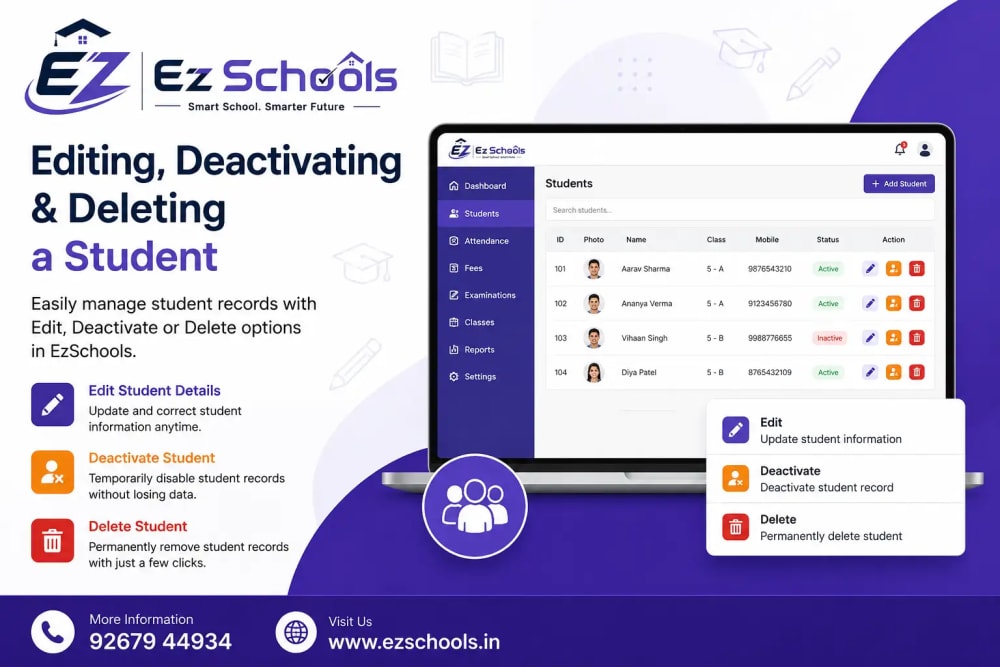
When managing a student record, three actions are particularly important: editing, deactivating, and deleting. Although these options may seem similar, each serves a different purpose.
How to Edit a Student
Student information may need to be updated when details change. For example, a student may get a new phone number, move to another class or section, or have updated parent information.
To update a student's information:
Open the Students section from your school dashboard.
Find and open the student's profile.
Select the Edit option.
Update the required information.
Review the details carefully.
Save the changes.
The updated information can then be used across the school's management workflows.
This is especially useful because EzSchools is designed to keep school information connected across modules. Student-related information can support processes such as attendance, fees, exams, report cards, and parent/student access.
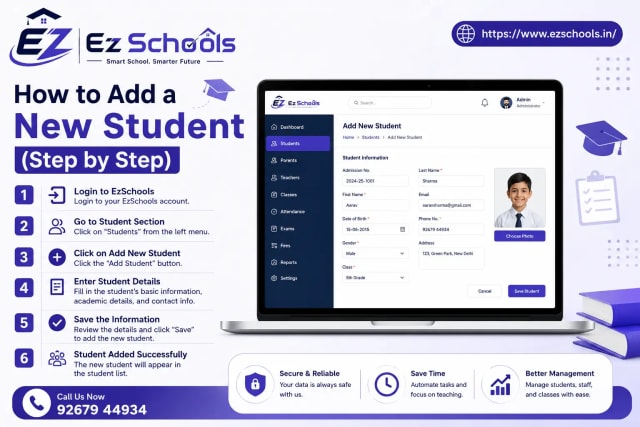
Read Blog - How to Add a New Student (Step by Step)
Keep Student Information Accurate
Before saving an edited student profile, always review important details such as:
Student name
Class and section
Parent or guardian information
Mobile number
Email address
Academic information
Other relevant student details
Keeping these records accurate helps avoid communication problems and administrative errors.
EzSchools also supports Excel import and export, making it easier for schools to move existing data into the platform or export reports when required. The website states that its Excel import includes validation and preview so errors can be identified before information reaches the database.
Student and Parent Login Management
Modern schools often need to provide students and parents with access to school information. EzSchools includes a parent and student portal, where users can view information such as attendance, homework, results, report cards, fees, and notices.
If login credentials need to be changed or access needs to be managed, administrators should use the available account-management controls within the student record and follow the school's access policies.
This is particularly important when a student's circumstances change. For example, temporarily stopping access is different from removing a student record.
Deactivate vs. Delete: What's the Difference?
One of the most important things to understand when managing student records is the difference between deactivating and deleting.
These actions should not be treated as the same.
Deactivate a Student
Deactivation is appropriate when you want to temporarily stop a student's active participation or access without treating the record as permanently removed.
For example, a student might temporarily leave school or become inactive for a particular period.
When a student is deactivated, the record can remain available for administrative reference, depending on the school's system configuration and permissions.
Use deactivation when:
The student's status is temporarily inactive.
You may need the student's information again.
You want to retain the record for future reference.
You don't want the student appearing among active students.
If the system provides an activation option, an administrator can restore the student's active status when appropriate.
Read Blog - Viewing, Searching & Filtering Students in EzSchools
What About Deleting a Student?
Deletion should be approached more carefully.
If a student record was created accidentally, duplicated, or needs to be removed according to your school's data-management policy, deletion may be appropriate.
However, administrators should always check the implications before deleting any record. Student information can be connected to other school processes, including fees, attendance, examinations, report cards, and communication.
EzSchools emphasizes security features such as role-based permissions and audit logs, which help schools control access and maintain visibility into administrative activity.
Before deleting a student, confirm that:
The correct student profile has been selected.
The record is genuinely no longer required.
Any relevant academic or financial information has been reviewed.
Your school's data-retention policy allows deletion.
You have the appropriate administrator permissions.
How to Choose Between Deactivate and Delete
A simple rule can make the decision easier:
Student is temporarily inactive → Deactivate.
Student record was created by mistake or genuinely needs removal → Consider Delete, after checking your school's data policy.
When you're unsure, deactivation is generally the safer administrative choice because it avoids treating a potentially useful student record as permanently removed.
Why Proper Student Management Matters
Student management is just one part of running a modern school. Managing student information efficiently becomes even more important when it connects with attendance, fees, examinations, report cards, communication, and parent access.
EzSchools brings these functions together in one School ERP, helping schools reduce dependence on registers, spreadsheets, and disconnected applications. The platform also offers features such as automated SMS/email communication, Excel data management, parent/student portals, and role-based permissions.
Ultimately, editing, deactivating, and deleting are different actions with different purposes. Edit information when details change, deactivate a student when their status is temporarily inactive, and consider deletion only when the record genuinely needs to be removed.
By following the right process, schools can keep student records accurate, organized, and easier to manage while maintaining better control over their overall administration with EzSchools School ERP.
Book a FREE Demo today.
📞 WhatsApp: +91 92679 44934
🌐 Website: https://www.ezschools.in
📧 Email: info@ezschool.com